 GSDAQ
GSDAQiPhone · U.S. stocks · free to start아이폰 · 미국 주식 · 무료로 시작
The U.S. market, explained.
Not tipped.미국 주식,
팁이 아니라 설명으로.
Ask GSDAQ, your AI concierge, about any U.S. stock and get the reasoning with its sources — what a rule says, why it moved, and what would change the picture. Screenshot your brokerage app to see each position explained in plain English.AI 집사 광스닥에게 어떤 미국 주식이든 물어보세요. 결론 대신 근거와 출처, 무엇이 확인되면 판단이 바뀌는지를 설명합니다. 증권사 앱 스크린샷 한 장이면 종목마다 현재 상황과 확인할 점을 설명합니다.
- 5 free answers a day하루 5개 무료 답변
- Sources on every answer모든 답변에 출처
- Your data stays on your phone데이터는 내 폰에
- Never trades, never holds money매매·예치 없음

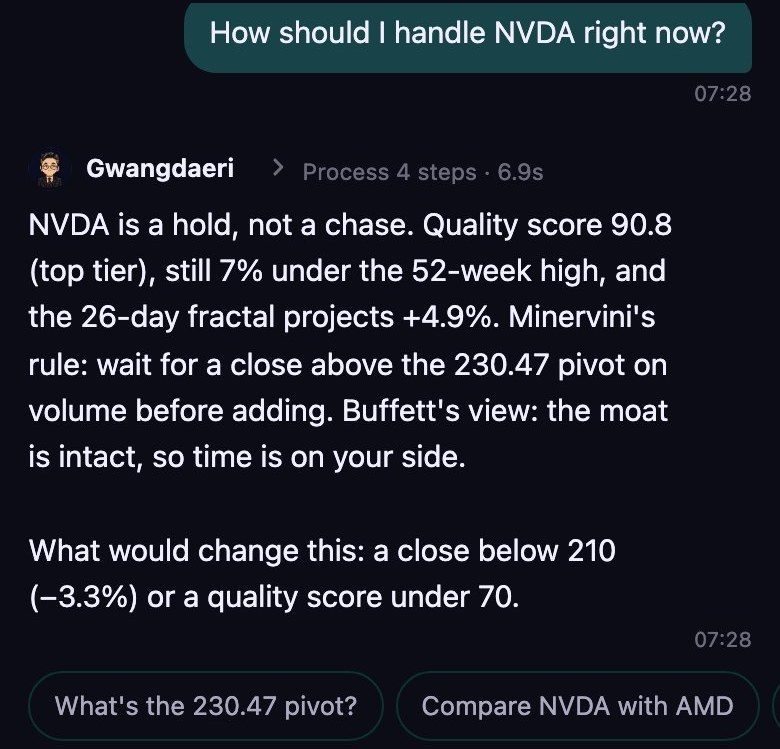
Ask anything무엇이든 물어보세요
Reasoning, not tips.팁이 아니라 근거.
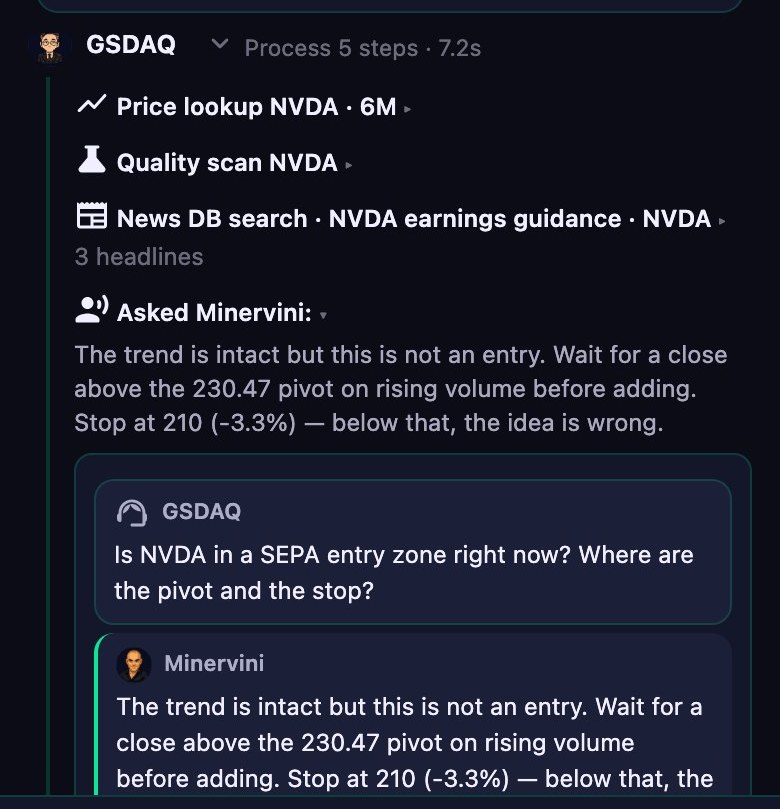
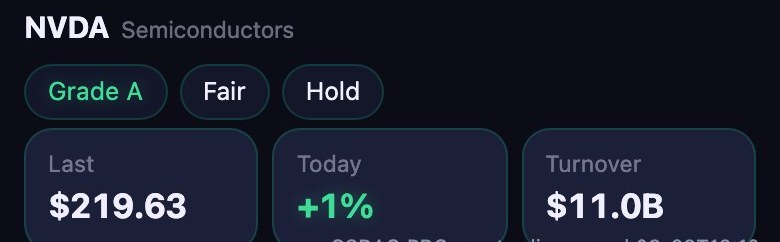
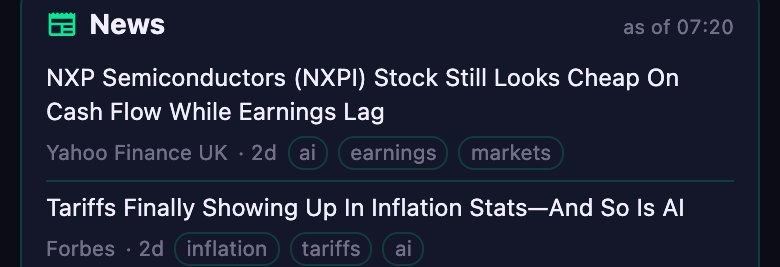
Before answering, GSDAQ gathers live prices, quality scores, news and the views of legendary investors — then shows every step it took. Each answer ends with what would invalidate it.광스닥은 답하기 전에 시세·퀄리티 점수·뉴스·대가들의 관점을 모으고, 거친 과정을 전부 보여 줍니다. 모든 답변은 "무엇이 확인되면 이 판단이 바뀌는지" 로 끝납니다.
- Sources출처Every number links to the tool or card it came from.모든 숫자에 어느 도구·카드에서 왔는지가 붙습니다.
- Legends' views대가들의 관점Buffett's moat, Minervini's pivot — asked about your position.버핏의 해자, 미너비니의 피봇 — 내 포지션에 대해 묻습니다.
- What would change it무엇이 바꾸나A trend break, a quality drop, a guidance cut — stated up front.추세 이탈·퀄리티 하락·가이던스 하향 — 미리 적어 둡니다.
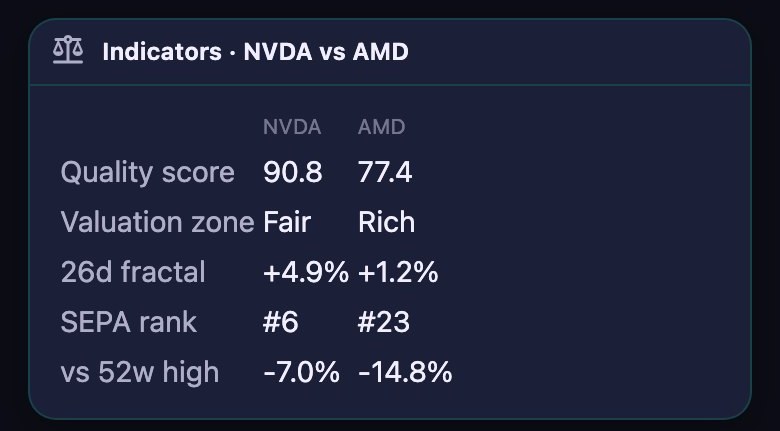
Your portfolio내 포트폴리오
A screenshot, each position explained.스크린샷 한 장, 종목마다 쉬운 설명.
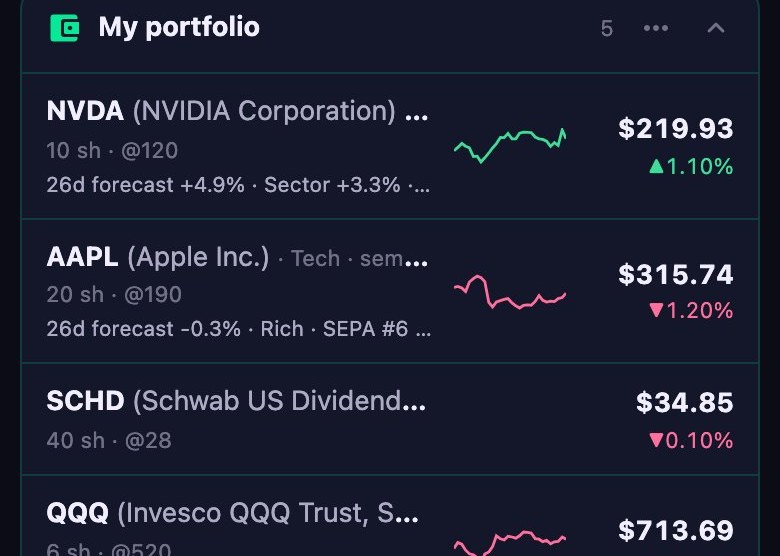
Take a screenshot of any brokerage app. GSDAQ reads the holdings, lets you confirm them, then explains each position — the current setup, key evidence and risks, constructive and caution signals, and what to check next. Nothing is saved without your confirmation.증권사 앱 화면을 캡처해 올리면 보유 종목을 읽고, 확인을 거쳐 종목마다 현재 상황, 핵심 근거와 위험, 긍정·주의 신호, 다음 확인 사항을 설명합니다. 확인 없이는 아무것도 저장되지 않습니다.
- Screenshot스크린샷 — up to 6 screens, any broker, Korean or English.최대 6장, 어느 증권사든, 한국어·영어.
- Confirm확인 — fix a ticker or a quantity before anything is saved.저장 전에 티커·수량을 고칩니다.
- Explain & monitor설명 · 관찰 — a balance score across six axes, and a position coach that flags trend changes, drawdowns and earnings.6축 균형 점수와 추세 변화·낙폭·실적 변화를 보여 주는 포지션 코치.
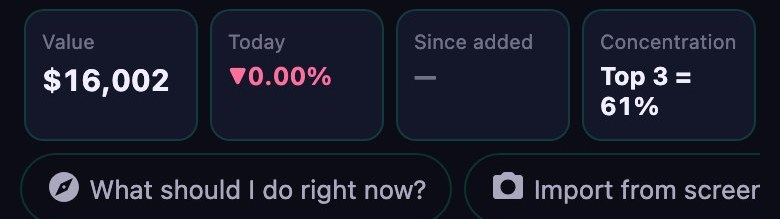
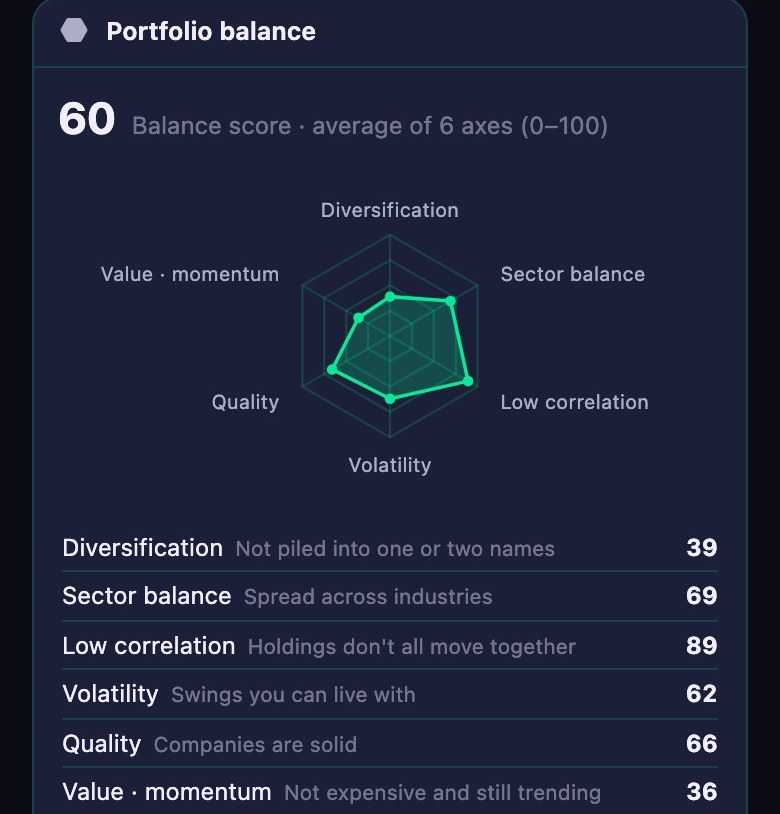
Dashboard대시보드
Compose your own market view.내 시장 화면을 직접 구성.
Thirty widgets — your account vs SPY, watchlist, market breadth, rates, futures, sector map, whale filings, earnings calendar, theme-ETF barometer — add, remove and reorder. The same widgets live on your iPhone home screen and refresh themselves during market hours.내 계좌 vs SPY·관심종목·시장 폭·금리·선물·섹터 맵·고래 공시·실적 캘린더·테마 ETF 바로미터 등 위젯 30개를 골라 배치합니다. 같은 위젯이 아이폰 바탕화면에도 올라가 장중에 스스로 갱신됩니다.
- Home-screen widgets바탕화면 위젯Portfolio and watchlist quotes every 15 minutes while the market is open.장중 15분마다 포트폴리오·관심종목 시세.
- Alerts that matter필요한 알림만Big moves in what you own, SEPA list changes, new technical signals — once a day per symbol.보유 종목 급변·세파 목록 변동·새 기술적 신호 — 종목당 하루 한 번.
- Charts for the curious차트도 깊게Ichimoku, fractal projections and point-in-time checked signals.일목·프랙탈 투영·PIT 검증 신호.
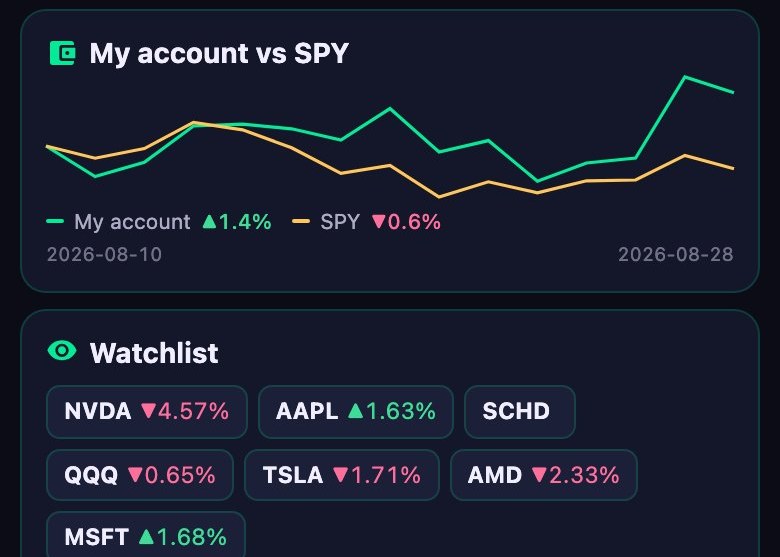
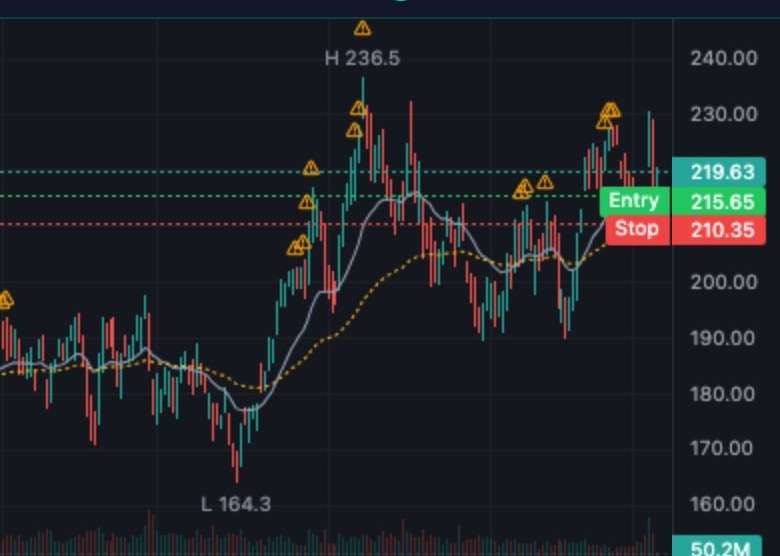
Eight playbooks at the table여덟 플레이북과 한 테이블에서
Eight ways of thinking, on your question.여덟 가지 사고방식이 내 질문에.
Each AI persona carries a strategy name and argues only from that playbook's published theory, books and 13F holdings — no invented quotes, no impersonation. GSDAQ asks two or three of them and weighs the answers in the context of your position, not a generic ticker.각 퍼소나는 그 투자자의 공개된 이론·저서·13F 보유만으로 말합니다 — 지어낸 발언은 없습니다. 광스닥이 두세 명에게 묻고, 일반적인 종목 얘기가 아니라 내 포지션 기준으로 답을 저울질합니다.
 Moat Compounder해자 복리투자자Buffett playbook · moats, owner earnings버핏 플레이북 · 해자·오너 어닝스
 VCP Trend TraderVCP 추세 트레이더Minervini playbook · SEPA, pivots, risk rules미너비니 플레이북 · 세파·피봇·위험 규칙
 Liquidity Macro Strategist유동성 매크로 전략가Druckenmiller playbook · liquidity, macro드러켄밀러 플레이북 · 유동성·매크로
 Cycle & Risk Allocator사이클·리스크 배분가Marks playbook · cycles, risk막스 플레이북 · 사이클·리스크
 GARP Scout합리적 성장 탐색자Lynch playbook · growth at a fair price린치 플레이북 · 합리적 가격의 성장
 Deep Contrarian Value역발상 심층가치 투자자Burry playbook · contrarian value버리 플레이북 · 역발상 가치
 Reflexivity Macro Trader재귀성 매크로 트레이더Soros playbook · reflexivity소로스 플레이북 · 재귀성
 CAN SLIM Breakout TraderCAN SLIM 돌파 트레이더O'Neil playbook · CAN SLIM오닐 플레이북 · CAN SLIM
Personas are educational reconstructions of public material. They are not endorsements by, or affiliated with, the people named.퍼소나는 공개 자료를 바탕으로 한 교육용 재구성이며, 해당 인물의 보증이나 관련성을 뜻하지 않습니다.
A calmer way to operate차분한 포트폴리오 운영
Subscribe for discipline. Top up only for depth.운영 루틴은 구독으로, 더 깊은 AI는 필요할 때만.
The paid membership is designed to keep your portfolio on a steady review rhythm — not to make you trade more. Premium Deep AI stays separate, so top-up credits are used only after you see the maximum cost and approve that request.유료 구독의 목적은 더 자주 매매하게 만드는 것이 아니라, 포트폴리오를 일정한 리듬으로 점검하게 돕는 것입니다. 프리미엄 Deep AI는 분리되어 있어 요청별 최대 비용을 확인하고 승인한 뒤에만 top-up 크레딧을 씁니다.
Calm operating layer차분한 운영 레이어
Keep an eye on position balance, breakouts, drawdowns and earnings — with changes and next checks made clear, without a stream of trading pressure.포지션 균형·돌파·하락·실적을 관찰하고, 무엇이 바뀌었는지와 다음 확인 사항을 매매 압박 없이 정리합니다.
Predictable membership예측 가능한 구독
Plus and Pro have explicit Quick and Deep allowances. The app shows what you used and what remains; allowances never become a surprise bill.Plus와 Pro의 Quick·Deep 포함량을 명확히 표시합니다. 사용량과 남은 양을 보여 주며, 포함량 초과가 갑작스러운 청구로 바뀌지 않습니다.
Premium AI, on demand프리미엄 AI는 선택할 때만
Use non-expiring credits for additional Deep research. GSDAQ shows the maximum in dollars and credits before each use — no automatic overage and no forced upgrade.추가 Deep 분석이 필요할 때 만료 없는 크레딧을 씁니다. 매번 달러와 크레딧으로 최대 비용을 먼저 보여 주며, 자동 초과 과금이나 강제 업그레이드는 없습니다.
Subscriptions and top-ups use secure Stripe Checkout after sign-in. Availability remains closed until final checkout, entitlement, renewal, and refund verification is complete.구독과 top-up은 로그인 후 Stripe 보안 결제를 사용합니다. 최종 결제·권리·갱신·환불 검증이 끝날 때까지 실제 판매는 닫아 둡니다.
Pricing가격
Core portfolio tools for everyone. More AI depth when it earns its place.핵심 포트폴리오 도구는 모두에게. 필요한 만큼만 더 넓고 깊게.
Free무료
- 3 Quick answers a day, plus 2 with the daily lessonQuick 답변 하루 3회 + 데일리 레슨으로 2회
- Portfolio dashboard, widgets, imports and explanations포트폴리오 대시보드·위젯·가져오기·설명
- Your 8 largest positions per answer, weekly digest답변당 가장 큰 보유 8종목, 주간 다이제스트
Plus
- 150 Quick answers per month, no daily wallQuick 답변 월 150회, 하루 벽 없음
- Up to 15 positions and 2 viewpoints per answer답변당 종목 15개·관점 2개까지
- Position coach alerts, custom widgets, 2 accounts포지션 코치 알림, 커스텀 위젯, 계좌 2개
Pro
- 300 Quick + 10 Deep answers per monthQuick 월 300회 + Deep 월 10회
- Up to 40 positions; 3 viewpoints on Quick, 5 on Deep종목 40개까지, 관점은 Quick 3개·Deep 5개
- Unlimited alert rules, 5 accounts, choose the AI for Deep알림 규칙 무제한, 계좌 5개, Deep 의 AI 선택
AI top-upAI top-up
- Optional prepaid balance for Deep onlyDeep 전용 선택형 선불 잔액
- Maximum shown and approved before each request요청마다 최대 비용을 먼저 표시하고 승인
- Never expires · never used automatically만료 없음 · 자동 차감 없음
Answer counts are the allowance and billing unit. Annual plans charge the full annual price and renew yearly.포함량과 과금 단위는 답변 횟수입니다. 연간 요금제는 연간 금액 전액이 결제되고 매년 갱신됩니다.
Privacy & what GSDAQ is not개인정보 · GSDAQ 이 아닌 것
Your phone is the source of truth.정본은 내 폰입니다.
On device기기에 저장
Holdings, portfolio explanations, conversations and settings live on your phone (and your own iCloud, if you allow it). Our servers keep only what push notifications and credits need.보유·포트폴리오 설명·대화·설정은 내 폰(원하면 내 iCloud)에만 있습니다. 서버엔 푸시 알림과 크레딧에 필요한 것만 남습니다.
Sign in is optional로그인은 선택
Sign in with Apple only syncs settings across your devices. You can delete the account and every server record from Settings.Apple 로그인은 기기 간 설정 동기화에만 씁니다. 설정에서 계정과 서버 기록을 모두 삭제할 수 있습니다.
Not a broker, not advice증권사도, 자문도 아님
GSDAQ never places orders and never holds your money. Everything it says is information and education — you make your own decisions, and markets involve risk, including loss of principal.GSDAQ 은 주문을 내지 않고 돈을 맡지 않습니다. 모든 내용은 정보·교육 목적이며 판단은 본인의 몫입니다. 투자에는 원금 손실 위험이 있습니다.
FAQ
Questions people ask first.자주 묻는 질문.
Does GSDAQ tell me what to buy?뭘 사라고 알려주나요?
No. It explains what a rule set says about a stock, why, and what would change that — with sources. Actions are described as "what the rule indicates", never as an order to place.아니요. 어떤 규칙이 그 종목에 대해 무엇을 말하는지, 왜, 무엇이 바뀌면 달라지는지를 출처와 함께 설명합니다. "규칙상 해당" 으로 적지, 주문 지시가 아닙니다.
Which brokers work with the screenshot import?스크린샷 읽기는 어떤 증권사가 되나요?
Any — it reads the screen, not an API. Korean and U.S. broker apps, Korean or English text, shares or amounts (won or dollars). You confirm every row before it is saved.어디든 됩니다 — API 가 아니라 화면을 읽습니다. 한국·미국 증권사, 한국어·영어, 주식 수·금액(원·달러) 모두. 저장 전에 모든 행을 확인합니다.
Where does the data come from?데이터는 어디서 오나요?
Quotes from public market feeds (about 15 minutes delayed in charts), the Gwangsu research desk for quality scores, signals and reports, and public 13F filings for the legends' holdings.시세는 공개 시장 피드(차트는 약 15분 지연), 퀄리티 점수·신호·리포트는 광수 리서치 데스크, 대가들의 보유는 공개 13F 공시입니다.
Is there an Android version?안드로이드 버전이 있나요?
iPhone first (iOS 15 or later). Android is on the roadmap.아이폰 먼저(iOS 15 이상). 안드로이드는 로드맵에 있습니다.
How do I join the beta?베타는 어떻게 참여하나요?
Install TestFlight from the App Store, then open the beta link on your iPhone. Builds update automatically.App Store 에서 TestFlight 를 설치한 뒤 아이폰에서 베타 링크를 여세요. 빌드는 자동으로 갱신됩니다.
The U.S. market, explained. Not tipped.미국 주식, 팁이 아니라 설명으로.
Five free answers a day. No card, no account required.하루 5개 무료. 카드도 계정도 필요 없습니다.
Join the beta (TestFlight)베타 참여 (TestFlight) Or sign in on the web또는 웹에서 로그인